POA Source Intake Workflow
Summary
POA source intake turns SharePoint procurement documents into durable, fingerprinted source records and processable cases. It is the boundary where external folder state becomes internal operational state.
The deeper concept page POA Source Intake explains the primitive. This workflow thread explains how intake appears in the operator lifecycle and why it must stay separate from interpretation and sync.
Reader Question
How does a document become a POA case without letting SharePoint folder details leak through the rest of the workflow?
Surface Or Workflow
The operator sees intake indirectly through stage progress, new queue items, source previews, and history. Engineers enter through poa.process_inbox, SharePoint scanner services, source identity and fingerprint helpers, and document persistence repositories.
Lifecycle
The workflow scans configured SharePoint locations, normalizes source metadata, detects duplicates, records source rows, groups work into batches, and creates or refreshes cases. Intake can optionally continue into processing, but the important boundary is that source discovery and case creation are their own auditable step.
Once a source is accepted, document runtime can load bytes and create attempts. If the source is duplicate, missing, unsupported, or malformed, the problem is recorded in intake state or diagnostics rather than being treated as a parser failure.
Child Threads
- POA Interpretation Workflow: starts after a source is available for runtime processing.
- POA Matching And Validation Workflow: consumes structured interpretations.
- POA Operations And Runbooks: explains debugging and smoke checks for intake failures.
Implementation Boundaries
services/poa/intake owns source scanning, identity, fingerprints, duplicates, and read models. services/poa/jobs/sharepoint.py and jobs/poa/process_inbox/run.py provide the thin execution entrypoint. Persistence sits under services/poa/persistence/documents, while the operator surface consumes source previews through greenfield API services.
Tradeoffs
Separating intake from interpretation adds another state boundary, but it keeps document discovery deterministic and replayable. That matters because operators need to distinguish "we never found the document" from "we found it but could not understand it."
Visual
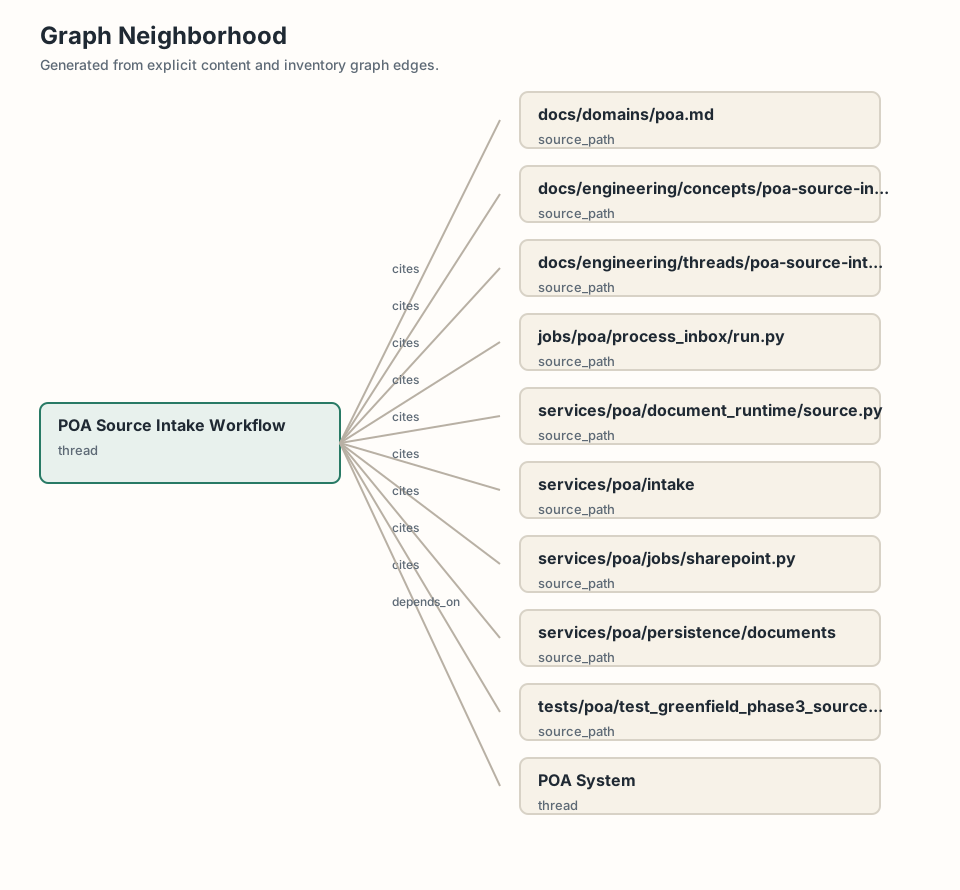
The current visual is a graph neighborhood. The intended visual is a source intake flow from SharePoint scan to source fingerprint, batch item, case, source preview, and processing attempt.
Source Evidence
docs/domains/poa.mddocs/engineering/concepts/poa-source-intake.mdservices/poa/intakeservices/poa/document_runtime/source.pyservices/poa/persistence/documentsservices/poa/jobs/sharepoint.pyjobs/poa/process_inbox/run.pytests/poa/test_poa_source_intake.py